HRM
Manage employees, attendance, leaves, holidays, salaries, documents, and teams.
HRM helps manage people operations inside Agiled.
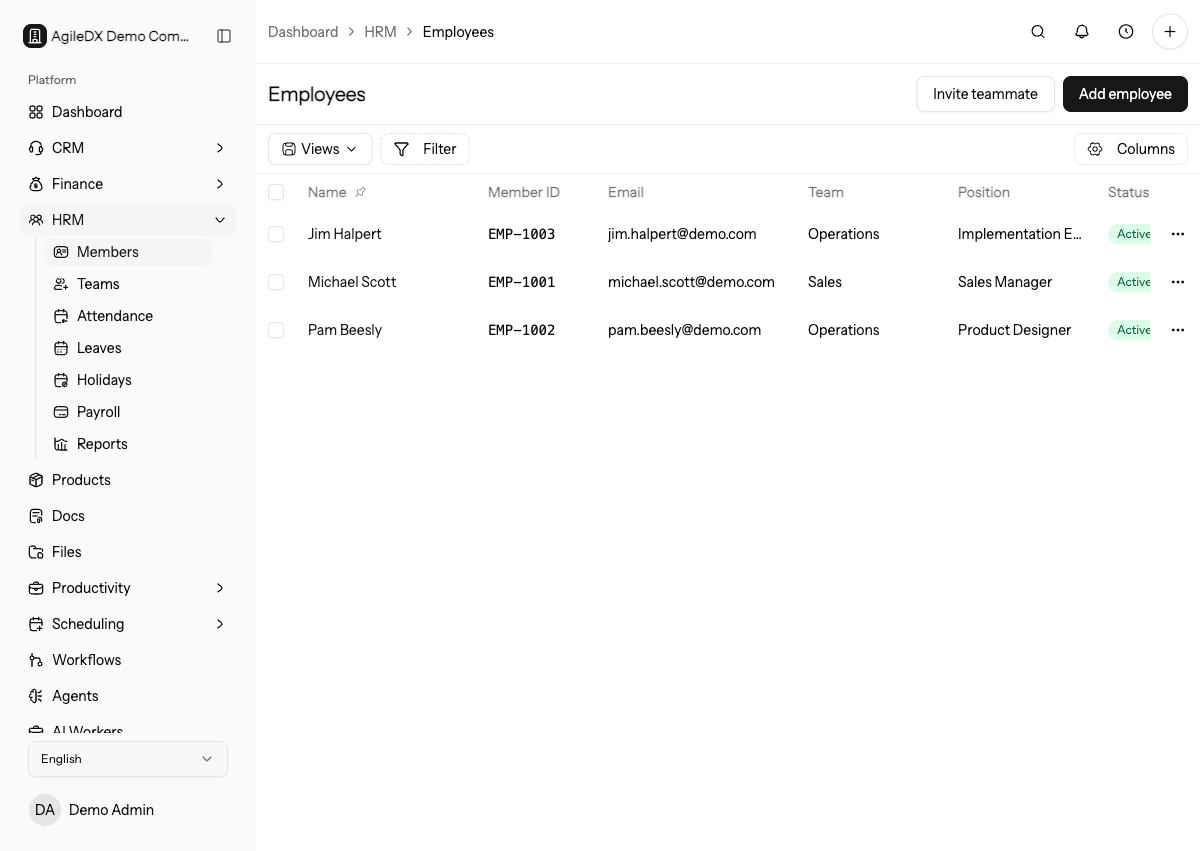
Employees and Teams
Employee records store profile, work, attendance, leave, document, and salary context. Teams group employees for reporting, assignments, and internal organization.
Start HRM setup with departments, positions, leave types, and one test employee. This gives you a safe path to verify attendance, leave, salary, and document behavior before inviting the whole team.
Use this order for a new HRM rollout:
- Configure departments, positions, leave types, holidays, and salary components.
- Add one test employee with realistic manager, department, and employment details.
- Test attendance, leave requests, document upload, and salary records.
- Review HRM reports for the test employee.
- Import or add the rest of the team after the structure is correct.
Attendance
Attendance tracks work presence and time. Use attendance pages to review daily records, corrections, and employee self-service submissions.
Leaves and Holidays
Leave tracking helps employees request time off and helps managers review availability. Holidays define dates that should be treated differently from normal workdays.
Salaries and Documents
Salary records document compensation details for HR review. Employee documents store HR files that employees or managers may need to access later.
Treat salary data as sensitive. Review salary components and employee status before sharing HR documents or reports.
Employee Self-Service
Employees can use the self-service area for profile information, attendance, leave requests, and documents depending on their permissions.
Before relying on self-service, sign in as or test with one employee account. Confirm the employee can see only the expected profile, attendance, leave, and document areas.
Recommended Guides
- Add your team to HRM.
- Set up leave tracking.
- Review salary records.
- Review attendance corrections.
Ongoing Review
Review HRM before every HR reporting cycle:
- new hires and terminated employees
- manager and department changes
- pending leave requests and attendance corrections
- salary changes
- employee documents and self-service access
Fix source records in HRM before relying on reports.
First HRM Validation
Before adding the full team, run one realistic employee through the full path: create the employee, assign manager and department, mark attendance, submit and approve leave, add salary details, and upload an employee document.
If any step looks wrong, fix the HRM setting or employee source record before importing more people. Early validation prevents messy reporting cleanup later.
HRM Data Ownership
Decide who owns employee records, attendance, leave approvals, salary changes, and self-service access. HRM data often affects sensitive reports, so changes should not be made casually by people who do not own the process.
Review HRM access when managers change, departments reorganize, or employees leave.