Integrations
Connect external apps for calendars, email, payments, accounting, CRM, projects, and marketing.
Integrations connect Agiled to the tools your business already uses. Use this section to understand what each connection does inside Agiled and when you need to configure something in the provider account first.
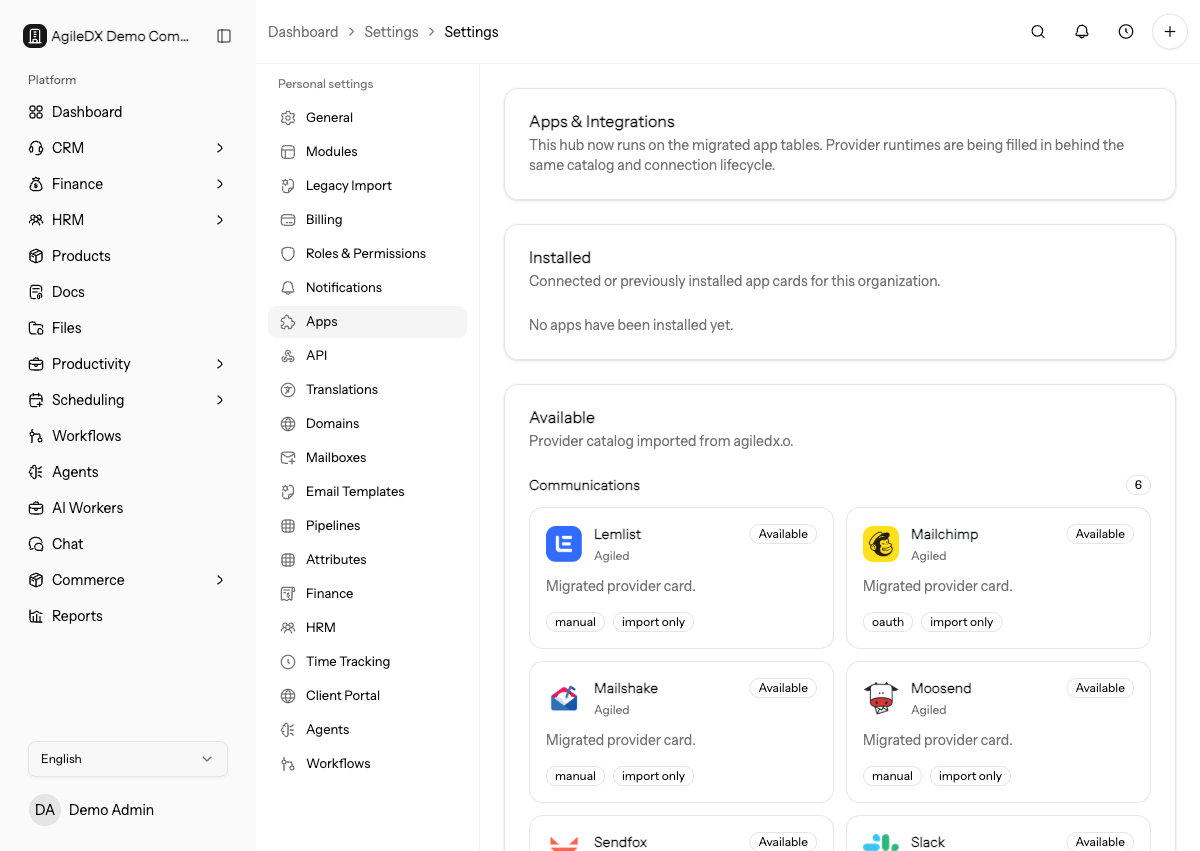
Start Here
- Install and connect an app
- OAuth app connections
- Automation platforms
- Manual credential apps
- Sync and import runs
- Disconnect an app
- Troubleshoot integrations
Mailboxes
Mailbox connections support CRM email sending, sync, backfill, and mailbox management.
Calendars and Meetings
- Calendar and meeting integrations
- Google Calendar
- Outlook Calendar
- Apple Calendar
- Zoom and Microsoft Teams
Calendar integrations support availability checks and appointment sync. Meeting apps provide online meeting configuration when the provider is connected.
Accounting and Finance Apps
Finance integrations can import or sync customers, contacts, products/items, invoices, payments, and provider-specific records.
Payments
Payment integrations power public invoice payments, checkout links, storefronts, paid scheduling, and payment webhooks.
CRM, Project, and Marketing Apps
- CRM and project app integrations
- Import projects and tasks from Asana
- Connect HubSpot CRM
- Marketing app integrations
Use these integrations when external systems already contain contacts, companies, deals, projects, tasks, users, audiences, contacts, or campaigns.
Connection Guide
- Open Settings > Apps or the feature-specific settings page.
- Choose the provider.
- Review the permissions Agiled requests.
- Complete OAuth or enter manual credentials.
- Run or wait for sync, depending on the provider.
- Review sync status and fix provider-side errors if needed.
Before connecting, confirm which workspace, provider account, tenant, mailbox, calendar, gateway, or company file should be connected. Many integration issues come from a technically successful connection to the wrong provider account.
After connecting, test the smallest useful action. Send one email, create one booking, sync one contact, process one test payment, or import a small sample before relying on the integration broadly.
Integration Ownership
Every connected app should have an owner who knows which provider account was connected, what data flows through it, and where to review failures. Document that owner before connecting business-critical mailboxes, calendars, payment gateways, accounting systems, or CRM syncs.
When ownership changes, test the connection again. Many providers tie access to the user, tenant, company file, mailbox, calendar, or admin policy that approved the connection.
Maintenance
Review integrations after provider password changes, admin-policy changes, expired credentials, billing changes, team ownership changes, or repeated sync errors. Disconnect apps that are no longer used so stale credentials and old syncs do not confuse the team.