Developers
Use Agiled API keys, public API endpoints, OpenAPI reference, and webhooks.
Developer docs help technical users connect external systems to Agiled.
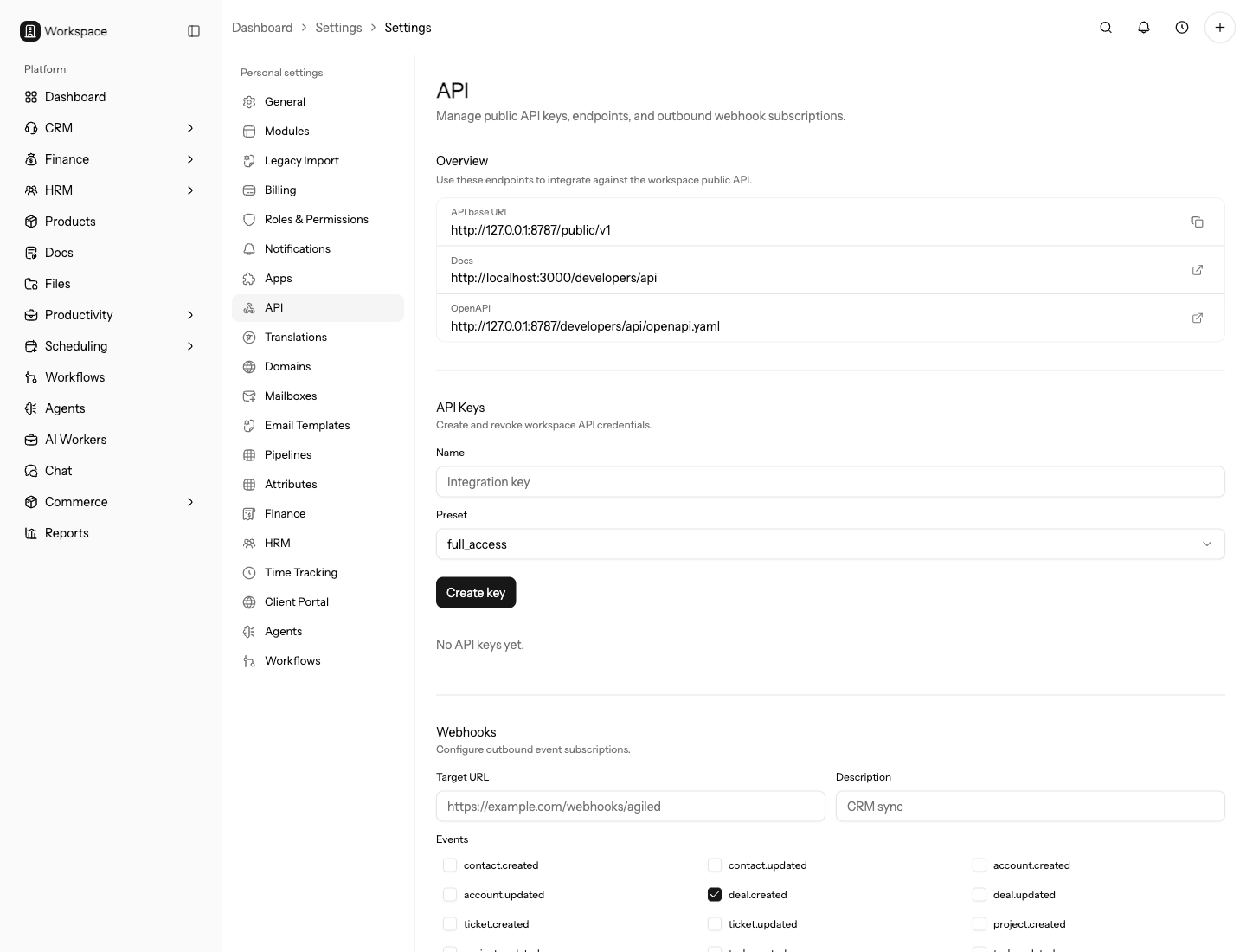
Use these docs for server-side integrations, internal tools, migrations, automation jobs, reporting syncs, and webhook consumers. Do not expose API keys in browser code or customer-facing scripts.
Start Here
- API Reference
- Create an API Key
- Authentication
- Base URLs and Environments
- Pagination, Filtering, Sorting, and Includes
- Errors and Rate Limits
- Idempotency
- Webhooks
- Verify Webhook Signatures
- Test the API Locally
Common API Workflows
- Create a Contact with the API
- Create an Invoice with the API
- Upload a File with the API
- Receive Webhook Events
Resource Guides
What Developers Can Build
Use the public API to connect trusted server-side systems to Agiled records such as contacts, accounts, deals, tickets, projects, tasks, invoices, estimates, expenses, payments, products, files, time entries, and webhook subscriptions.
Use webhooks when an external system needs to react after records change in Agiled.
Recommended Build Order
- Create a dedicated API key.
- Confirm the base URL and token with
/public/v1/me. - Read the generated OpenAPI reference for the resource.
- Build one read operation.
- Add one write operation with idempotency where needed.
- Add webhook handling only after the write path is understood.
- Log failures and rate-limit responses before running bulk jobs.
Production Checklist
- Use environment-specific base URLs and keys.
- Store secrets outside source code.
- Keep retries bounded.
- Record external IDs for sync jobs.
- Verify webhook signatures.
- Document who owns the integration.
Choose The Right Integration Path
Use the public API when another backend needs to read or write Agiled records. Use webhooks when another system needs to react after Agiled changes. Use app integrations when Agiled already has a built-in provider connection for the job.
For one-time migrations, start with list and create endpoints plus idempotency. For ongoing sync, add updated filters, external ID storage, retries, and webhooks only after the first direction works reliably.
Troubleshooting
If the API reference and a hand-written guide seem different, treat the generated OpenAPI reference as the endpoint shape and use the guide for workflow context.
If an integration touches finance, files, or customer data, test in a low-risk workspace or with a small sample before running a bulk job.