Offer packages and add-ons
Show your packages as cards with photos and what's included, let clients add extras, and bill only what they chose.
The Services block lets your client pick a package, such as a wedding collection or a website tier, plus any add-ons. Their choice carries through to the proposal, contract and invoice, so they pay only for what they picked.
Templates that win clients already include one. To add one yourself, select Add a page › Services, or add the Services block to any page.
Set up the block
- Select the Services block on the page. Its settings open on the right.
- Under How the client chooses, pick One package + add-ons, or Choose any.
- Under Layout, choose Automatic, Cards, List or Menu (a grid of photo tiles, good for catering or hair and makeup).
- Select Add a service or product, or Create a new service or product.
- Open each option's Options and mark it as a Package or Add-on.
- Add a What's included list (one item per line) and, for one package, a Highlight such as Most popular.
- Select Save draft.
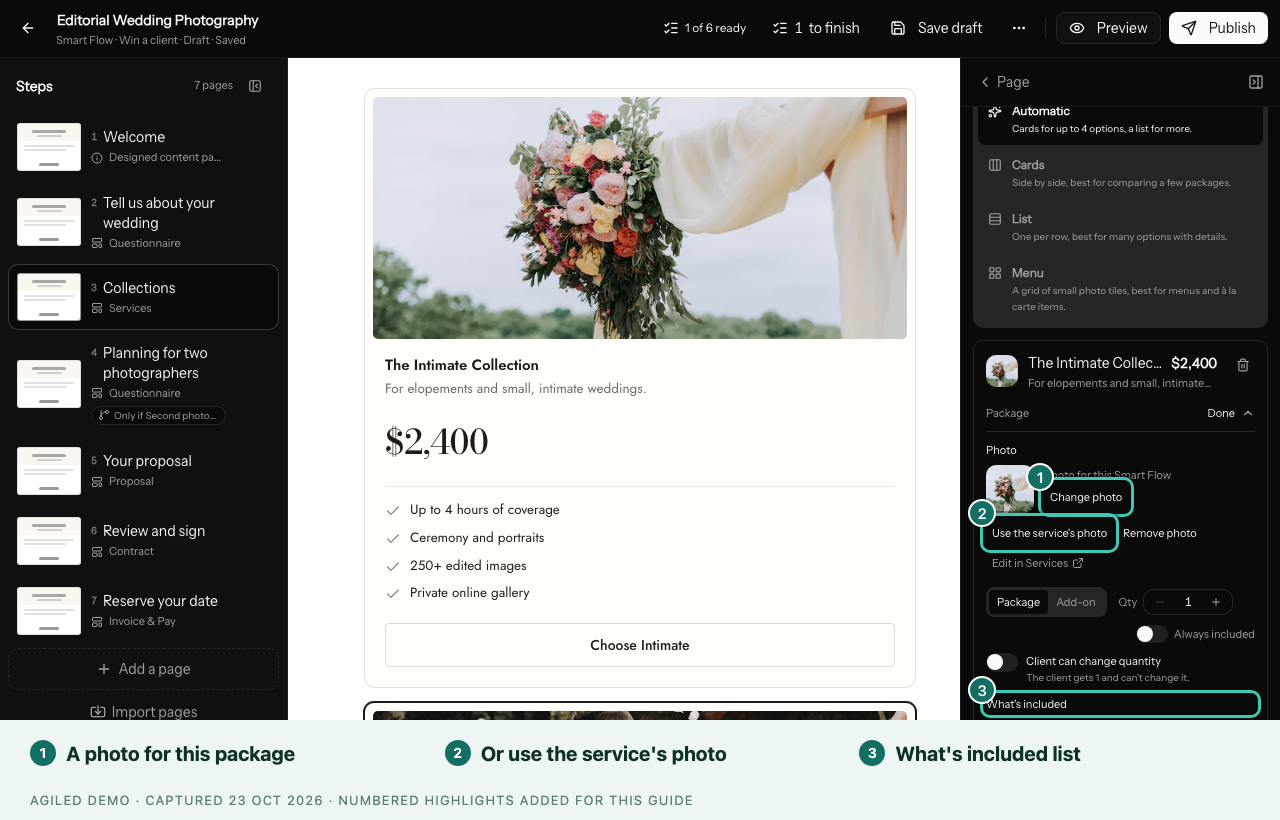
You're done when the preview shows your packages as cards with a Choose button, add-ons with Add, and a running total under Your selection.
Photos
In a package's Options, the Photo row offers Change photo (this Smart Flow only), Use the service's photo, Remove photo and Edit in Services. Cards and lists show photos only when every option has one.
Add-ons a package already includes
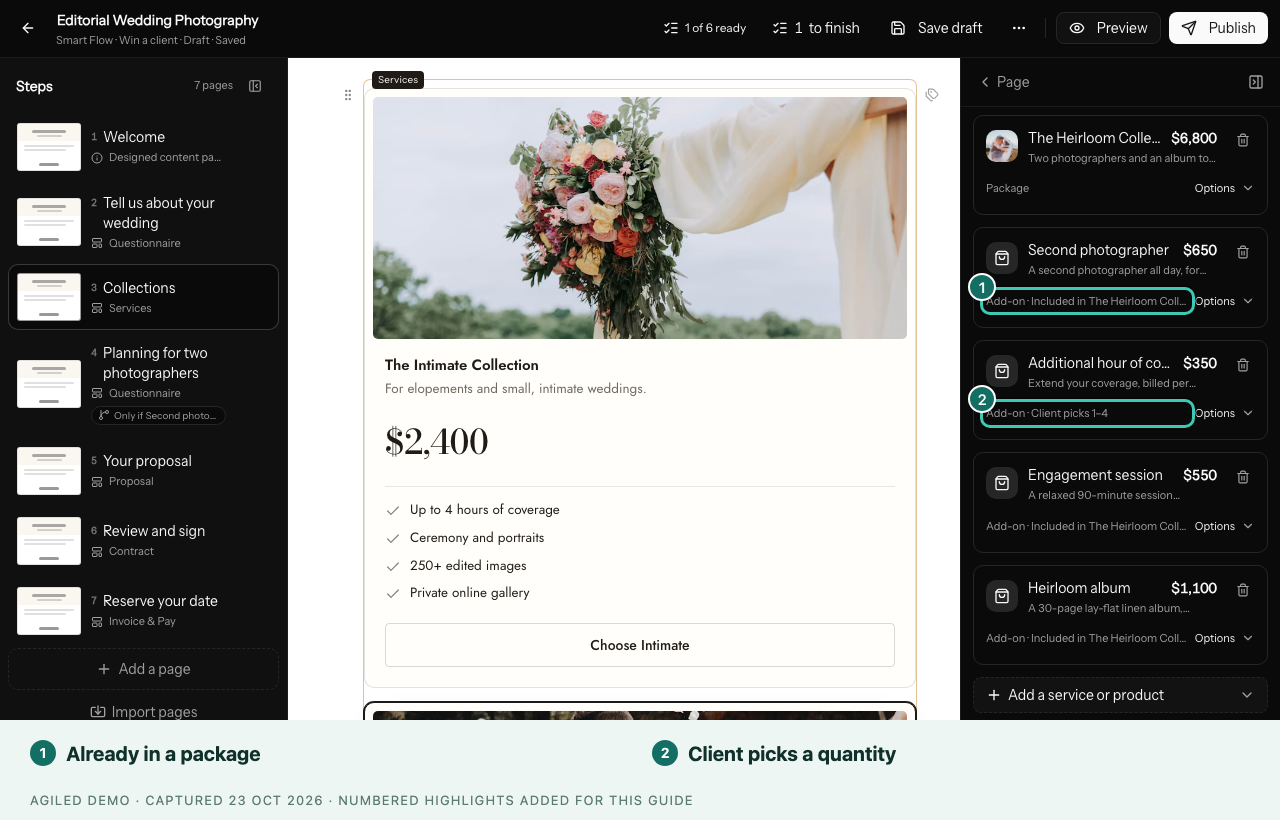
On an add-on, set Already included in these packages. When a client picks one of those packages, the add-on reads Included in and the package name, and it is never charged twice.
Good to know
- Client can change quantity lets clients choose extra hours or guests, between the lowest and highest you set.
- Invoice & Pay bills what the client chose, using Carry forward. Leave Include proposal pricing off so nothing is billed twice.
- Options hidden by a condition are never billed.
- Publishing tells you if no option is marked as a package.