Getting Started
Set up your Agiled workspace and learn the basics.
Start here when you are setting up Agiled for the first time. A good setup makes the rest of the app easier to use because your workspace profile, modules, team, permissions, finance settings, and connected apps become the foundation for every record you create later.
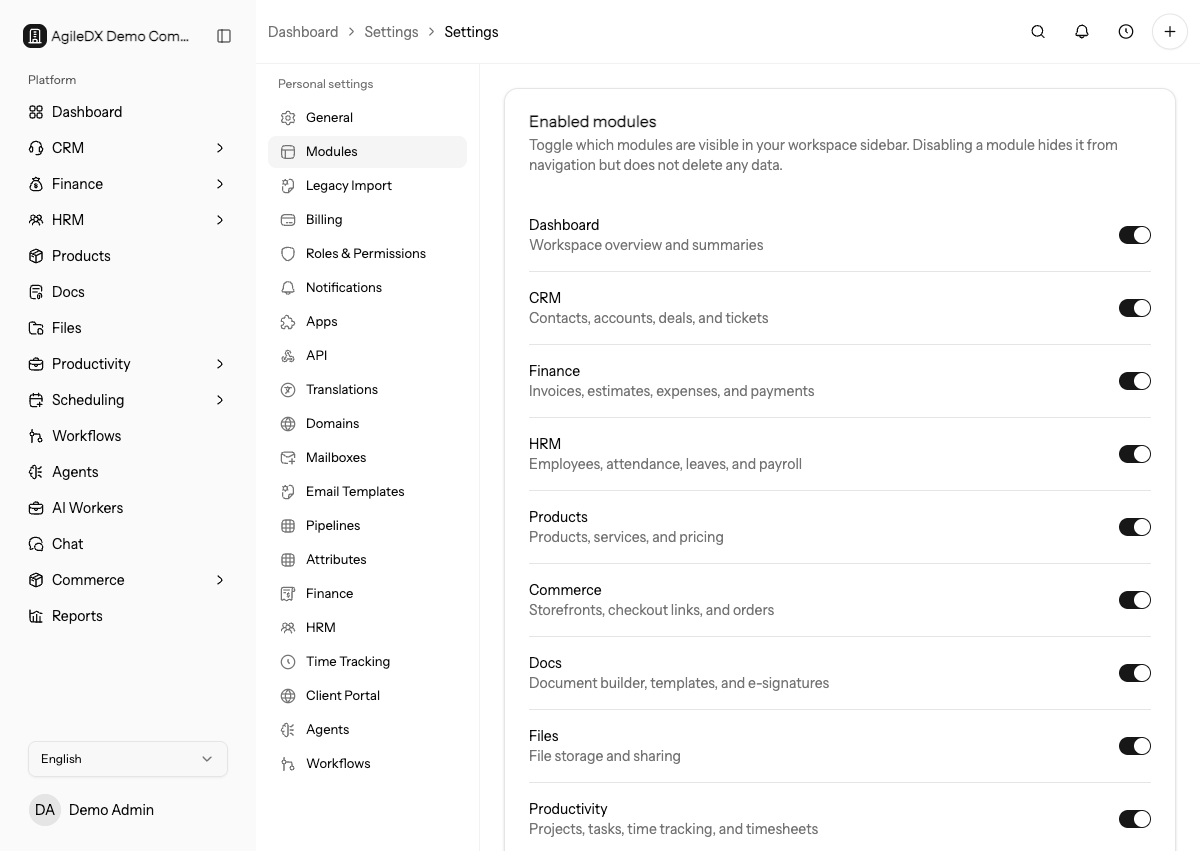
First Setup Checklist
- Create your account and verify your email.
- Complete onboarding so Agiled can prepare the workspace for your business.
- Add your business profile, logo, address, language, region, currency, and date format.
- Turn on the modules your team will use from workspace settings.
- Invite teammates and assign roles.
- Configure finance defaults before sending invoices or estimates.
- Connect the apps you need, such as calendars, mailboxes, payment gateways, accounting tools, or project imports.
- Import contacts, companies, products, projects, tasks, employees, expenses, or deals when you are moving existing data into Agiled.
Setup Paths
If you are new to Agiled, follow these pages in order:
- Create your account
- Verify your email
- Complete onboarding
- Choose modules
- Create or switch workspaces
- Set up your business profile
- Invite your team
- Import existing data
- Use the first-day checklist
Workspaces
A workspace contains your business records, users, settings, connected apps, and public links. If you work with more than one business, use the workspace switcher to move between them. Each workspace has its own modules, billing, permissions, domains, templates, integrations, and data.
Team Access
Owners and admins should configure access before inviting the full team. Roles control who can view or manage CRM, finance, docs, files, projects, HRM, settings, workflows, and API features. If a teammate cannot see a page, first check that the module is enabled, then check their role permissions.
Importing Data
Use imports when you already have records in another system or spreadsheet. Prepare CSV files with clean column names, review the import mapping, run the import, and check the import history for failed rows. Fix the source data and rerun only the records that need correction.
Recommended First Workflows
- Add a contact and company.
- Create a deal and move it through a pipeline stage.
- Create an invoice or estimate with your finance defaults.
- Create a project and assign a task.
- Create a booking page and test the public booking flow.
- Create a document template and send a test document for signature.
First Workspace Review
Before inviting every teammate or sending links to customers, review the workspace as an owner. Confirm enabled modules, roles, business profile, finance defaults, payment settings, email sender, booking availability, templates, imports, and connected apps.
Then create one realistic record in each active module. This small test catches setup mistakes before they become customer-facing invoices, bookings, forms, or documents.