Getting started
Create anything by typing a sentence
Press ⌘K, type what you want in your own words, and Agiled opens it already filled in.
Skip the forms. Type "invoice acme 1200 for logo design" or "customer can't log in to the portal" and Agiled opens the right thing with the client, amount, dates and title already filled in. You check it and create it.
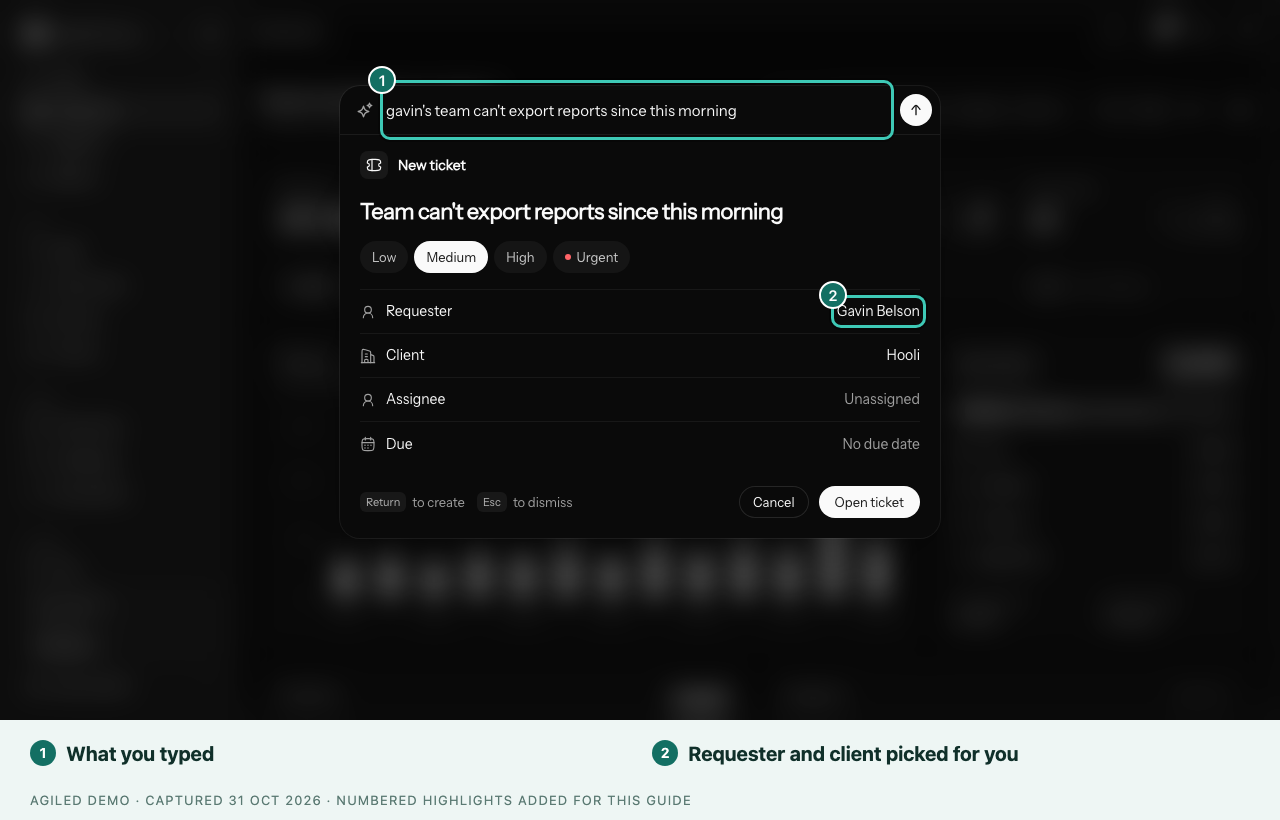
- Press ⌘K (on Windows, Ctrl+K), or select the search button at the top of any page.
- Type what you want to do, the way you'd say it to a colleague.
- Check the card that opens. Select any value to change it: a client, a date, an amount or the title.
- Press Return, or select the button at the bottom of the card, such as Create draft or Log time.
You're done when the card shows it was created, with a link to open the new record.
What you can create
| Type something like | You get |
|---|---|
| invoice acme 1200 for logo design due friday | A draft invoice |
| quote hooli 3 pages at 800 each | A draft estimate |
| uber to the airport 38 dollars | An expense |
| spent 2 hours on the website redesign | A time entry |
| remind me to send the proposal tomorrow | A task |
| add jane doe jane@example.com | A contact |
| new project website refresh, due dec 15 | A project |
| book a call with sarah tomorrow at 3pm | A meeting, with an invite sent |
| customer can't log in to the portal | A support ticket |
Anything else searches your workspace. You can also select Ask to send the sentence to Agiled AI.
Good to know
- You only see the things your role lets you create.
- Invoices and estimates are saved as drafts. Nothing is sent to your client until you send it yourself.
- Meetings use your booking page's meeting types and only offer times you're free. A meeting type that takes payment or asks booking questions isn't offered here.
- If a sentence opens the wrong card, start it with what you want instead, such as "ticket …" or "task …".