Knowledge Base
Create internal wiki pages for team knowledge.
The knowledge base stores internal wiki-style content for the workspace. Use it for operating procedures, customer handoff notes, policy references, internal checklists, and repeatable knowledge your team should not keep only in chat.
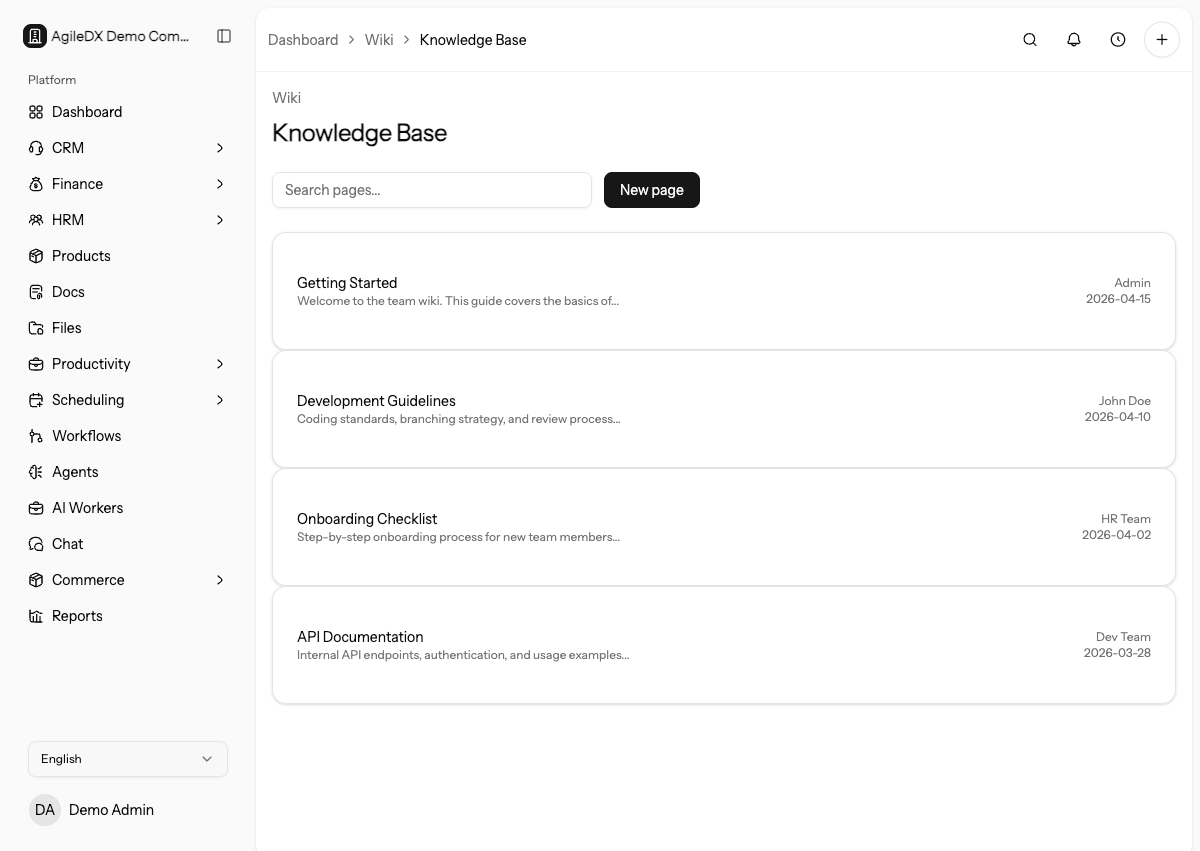
Use it as the team's memory for work that should be stable and searchable.
The knowledge base works best when someone owns each important page and reviews it after process changes.
When to Use the Knowledge Base
Use a wiki page when the content should stay available and structured over time. Use chat for discussion, and move lasting answers into wiki pages when the team will need them again.
Use tasks when work needs an owner and due date. Use files when the main value is an attachment. Use docs when the content is customer-facing.
Good Wiki Topics
- Standard operating procedures
- Sales playbooks
- Delivery checklists
- Finance policies
- HR policies
- Support response guides
- Internal onboarding notes
Keep Knowledge Useful
Search before creating a page, use clear titles, link related records or files, and review important pages after process changes.
When a page answers a question that keeps coming up in chat, link the page back into the relevant project, CRM record, workflow, or internal onboarding material. This turns the wiki into a working reference instead of a disconnected archive.
Suggested Page Structure
For process pages, include purpose, owner, steps, exceptions, related links, and last reviewed date. For reference pages, include what the information is for and who should maintain it.
For policy pages, add the effective date and owner. For playbooks, add the audience, when to use the playbook, and examples of good outcomes. For handoff pages, include where the source files or records live.
Review Cadence
Review high-use wiki pages after workflow changes, template changes, pricing changes, policy changes, team ownership changes, or repeated support questions. If a page affects finance, HRM, sales, support, or public customer work, assign an owner and a review date.
Archive pages that are no longer accurate. A stale page can send teammates into the wrong workflow even when the current process is configured correctly.
Troubleshooting
If people cannot find pages, improve titles, headings, and organization before creating duplicates.
If pages become stale, assign owners and review dates to the most important procedures.
If a page has conflicting instructions, identify the source of truth before editing. Confirm whether the current process lives in a workflow, template, report, settings page, or manager-approved policy, then update the wiki to match that source.
Common Workflows
- Create a wiki page
- Search wiki pages
- Edit wiki content
- Structure wiki pages
- Organize wiki pages
- Maintain wiki pages
- Troubleshoot wiki pages