Chat
Use workspace chat for team conversations.
Chat gives workspace members a place to discuss work, share context, and attach files.
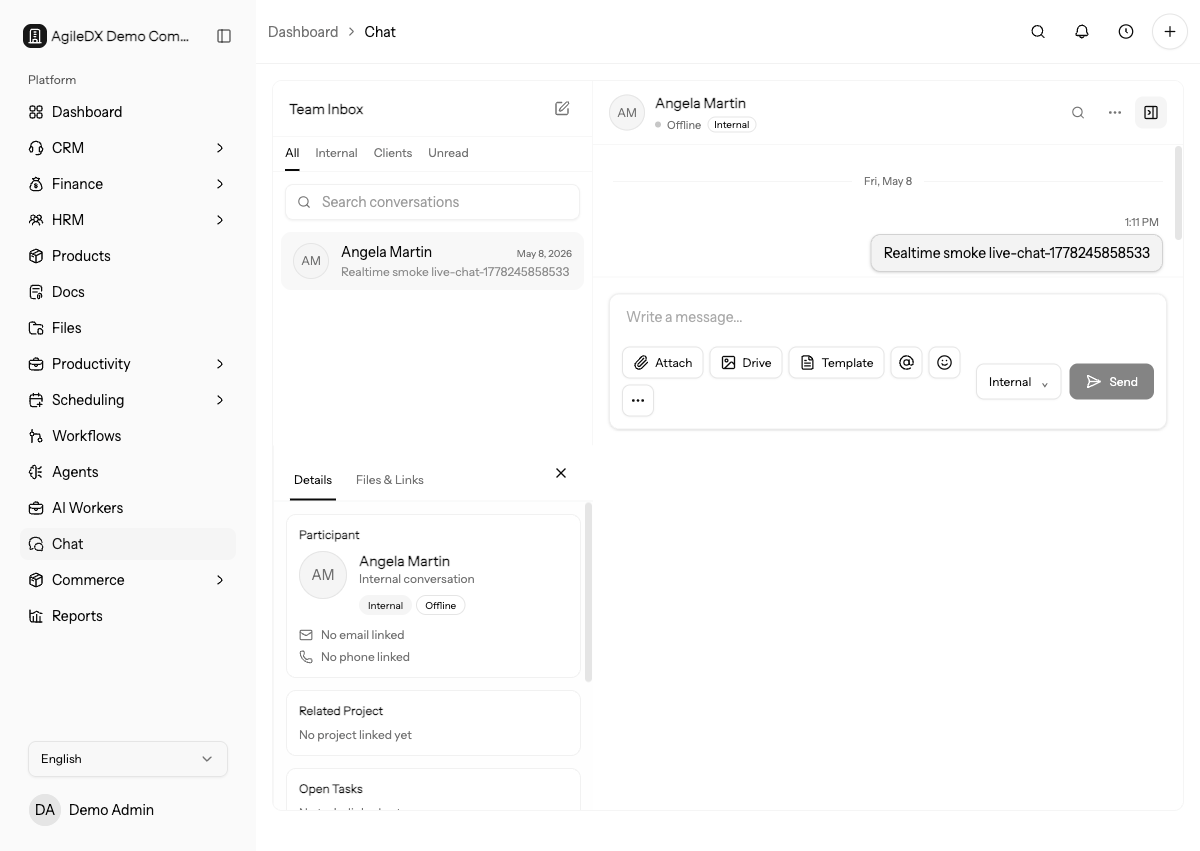
Use chat for collaboration around active work. Use records, tasks, tickets, documents, or wiki pages when the information needs structure, ownership, or long-term reference.
When to Use Chat
Use chat for quick coordination, questions, updates, and context that does not need to become a permanent process document. Move lasting process details into the knowledge base.
For customer issues, use tickets when a request needs status, priority, assignment, due date, or a visible resolution path. Use chat to coordinate the internal response.
Use task comments when the discussion belongs to a specific task outcome. Use CRM notes when the context should stay attached to a contact, account, deal, or ticket. Use Files when the file needs folder organization or sharing controls.
Common Workflows
- Review chat conversations
- Start a conversation
- Send chat messages
- Mention records in chat
- Share attachments
- Use conversation details
- Pin, search, and filter chats
- Troubleshoot chat
Attachments
Chat attachments can be previewed or downloaded from supported attachment links. Do not share secrets, passwords, payment card data, API keys, or private customer data unless your team has a safe internal process for that information.
Use Files when an attachment needs folders, sharing controls, version history, or public access. Chat attachments are best for conversation context.
Conversation Hygiene
Pin important conversations, name group chats clearly, and move decisions into the relevant record or wiki page. This keeps chat useful without turning it into the only place important work is documented.
Daily Chat Routine
For active teams:
- Review unread and pinned conversations.
- Reply to mentions that block other people.
- Move decisions into records, tasks, tickets, documents, or wiki pages.
- Rename group chats whose topic changed.
- Unpin conversations that no longer need attention.
- Attach important shared files to the source record if they will be needed later.
If a chat thread starts tracking a deliverable, create or link the task so the work has an owner and status.
When Chat Is Not Enough
Move work out of chat when it needs assignment, priority, due date, customer visibility, approval, or reporting. Use tasks for owned work, tickets for support requests, docs for formal approvals, files for managed attachments, and wiki pages for repeatable instructions.
Keep the chat link or summary on the destination record when the conversation contains useful context.
Team Norms
Set simple chat norms for the workspace. Decide when to start a new conversation, how to name group chats, when to use mentions, which files belong in Files instead of chat, and when decisions must be copied into tasks, tickets, docs, or wiki pages.
Clear norms keep chat useful as the team grows and prevent important customer or project decisions from being buried in long message threads.