Dashboard
Use dashboards to monitor the work and metrics that matter.
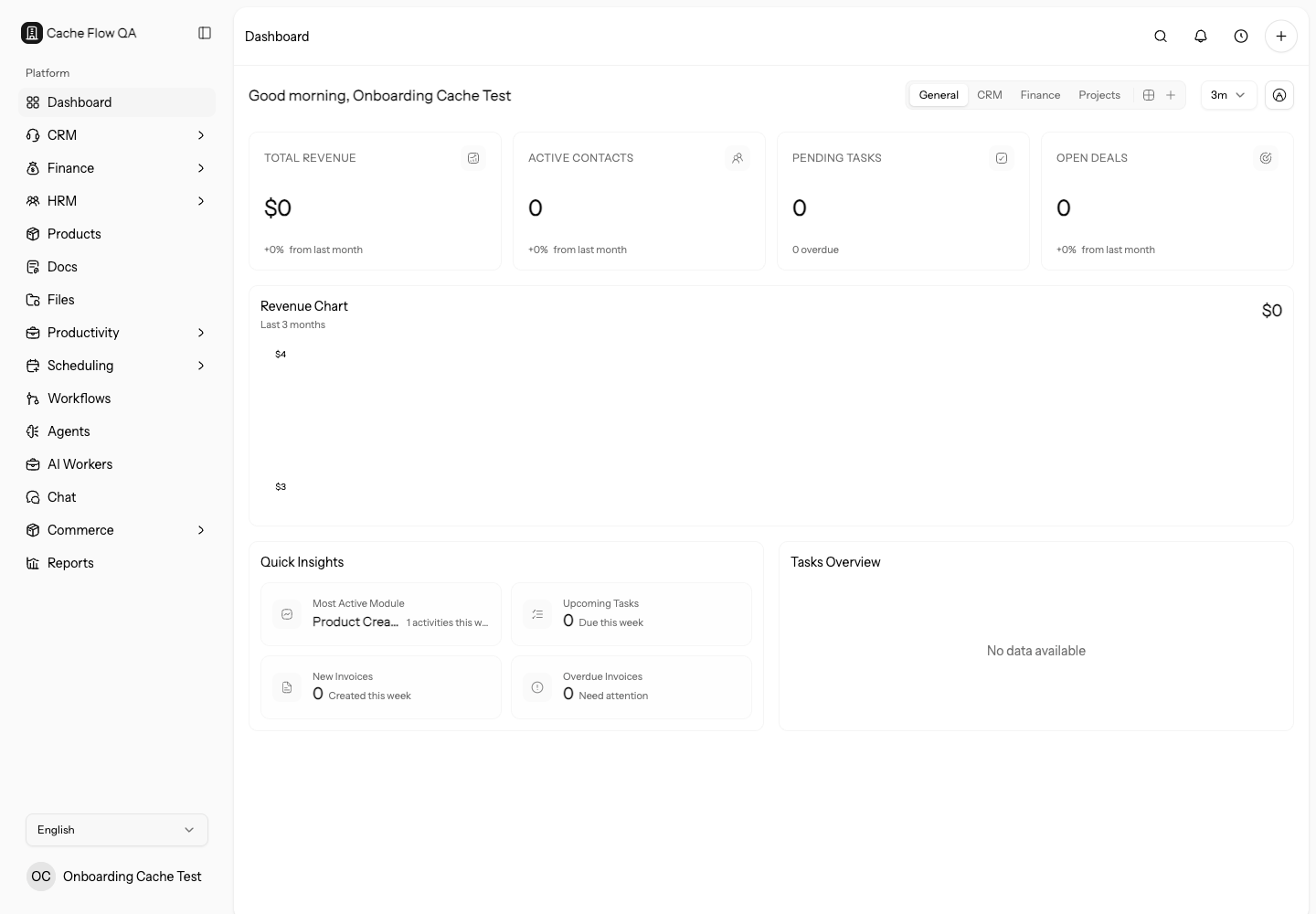
Dashboards give your team a quick operating view across finance, CRM, projects, tasks, and activity. Use them to check what needs attention without opening each module separately.
What You Can Do
- Review high-level workspace activity.
- Switch between built-in and custom dashboards.
- Create dashboards from blank, sales, finance, operations, or leadership templates.
- Track finance metrics such as invoices, payments, estimates, and revenue.
- Monitor project progress and task workload.
- Review CRM activity and pipeline health.
- Create more than one dashboard for different operating views.
- Add, remove, duplicate, resize, configure, and arrange widgets so the most important information appears first.
Managing Dashboards
Use the dashboard selector to switch between dashboards. Create a separate dashboard when different teams need different views, such as a sales dashboard, finance dashboard, delivery dashboard, or owner overview.
Owners and admins start with built-in General, CRM, Finance, and Projects dashboards. Members start with a focused My Work dashboard that emphasizes tasks, active projects, and clock in/out.
When editing a dashboard, move widgets into the order that matches how you work. Layout changes sync while you edit. Select Done when you are finished so the same view appears next time.
Widget Data
Widgets read from the records in the workspace. If a widget looks empty, check that the related module has data, the current user has permission to view it, and the date range or filter is not excluding the records you expected.
Use dashboards for signals, then open the source module for corrections. A dashboard should help you notice stale work, overdue money, or pipeline risk; the actual CRM, finance, project, or HRM record is where the data is fixed.
Good Dashboard Patterns
- Put time-sensitive work first, such as overdue invoices, upcoming bookings, open tickets, and due tasks.
- Separate owner-level metrics from daily team execution views.
- Keep dashboard layouts focused. Too many widgets make the page harder to scan.
Review dashboard usefulness after imports, module changes, role changes, and new workflows. A dashboard built for setup may not be the right dashboard once real team activity starts.
Dashboard Review Routine
Review dashboards with the people who use them. Ask what decision each widget supports, what source record they open after seeing a metric, and which widgets are ignored.
Remove low-value widgets and create separate dashboards for different review cadences, such as daily operations, weekly sales, monthly finance, and owner overview.