Create an Onboarding Flow Template
Build and preview the steps clients will see in their portal.
Open Automations > Onboarding Flows > Templates and select New template. The builder opens an onboarding flow for the client portal.
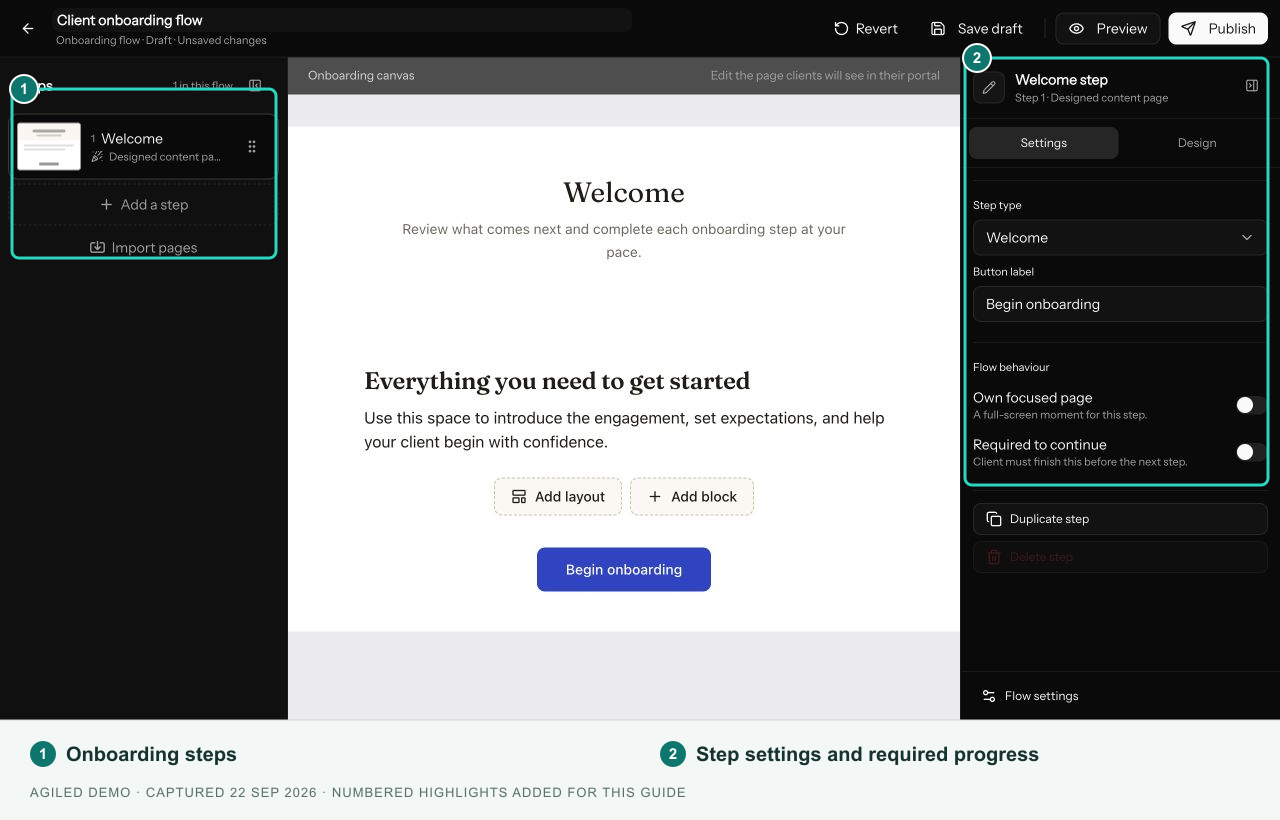
Add the client steps
- Name the flow and add a welcome message.
- Add steps in the order clients should complete them.
- Select each step to configure its content, linked record, or requested work.
- Review Required to continue, button labels, and step delivery.
- Save the draft and preview the complete journey.
| Step | Purpose |
|---|---|
| Welcome | Introduce the process and explain what the client needs. |
| Info / video | Share instructions or video. |
| Page | Build a content page from text, images, video, and layout blocks. |
| Questionnaire | Collect answers through a linked form. |
| Scheduler | Let the client book using a linked booking page. |
| File upload | Collect requested files with upload rules. |
| Task checklist | Present client tasks and a completion rule. |
| Resource library | Share selected files and links. |
| Grant access | Make configured resources available to the client. |
Proposal, contract, and payment steps belong to Smart Flows.
Settings and access
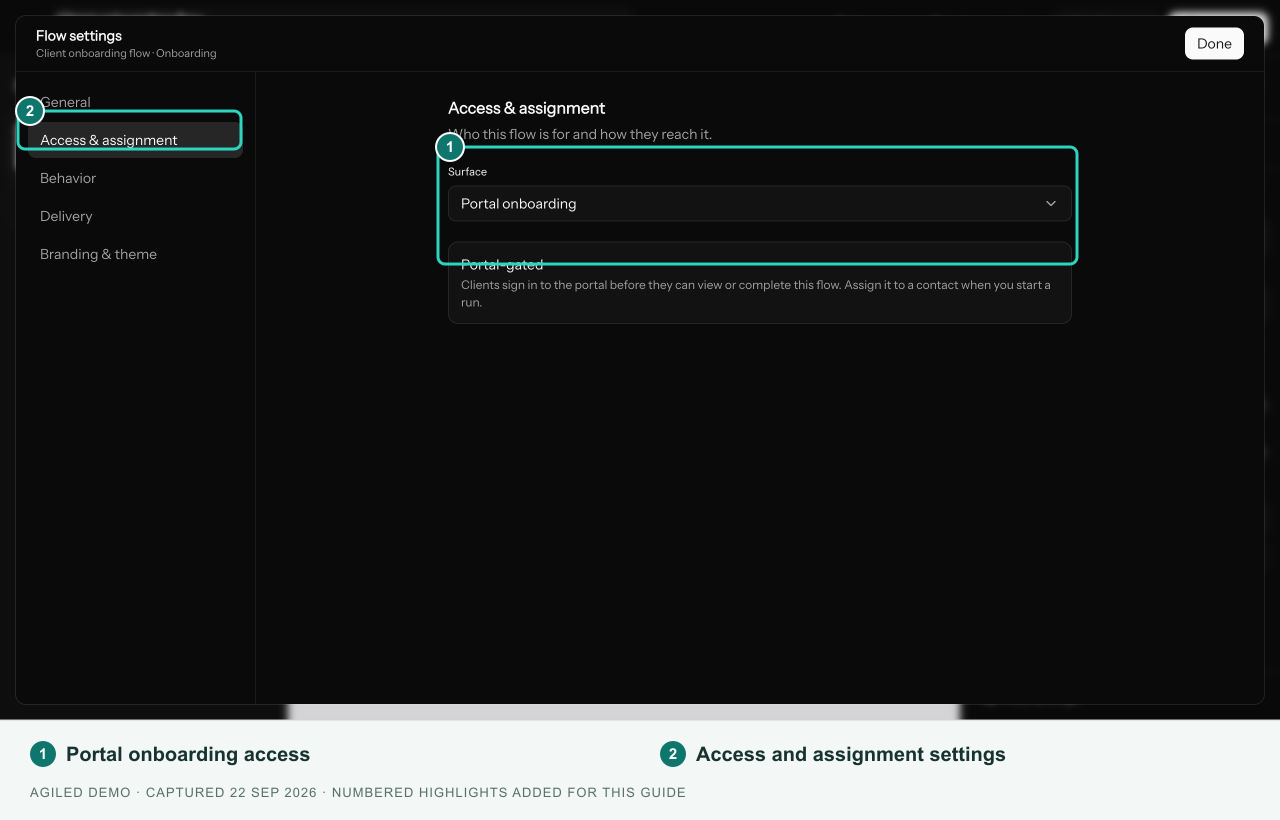
Set a purpose tag, internal description, completion page or redirect, and client-facing branding in flow settings. Portal onboarding means the assigned client must sign in before viewing or completing the flow. The surface cannot be changed after saving.
Preview and publish
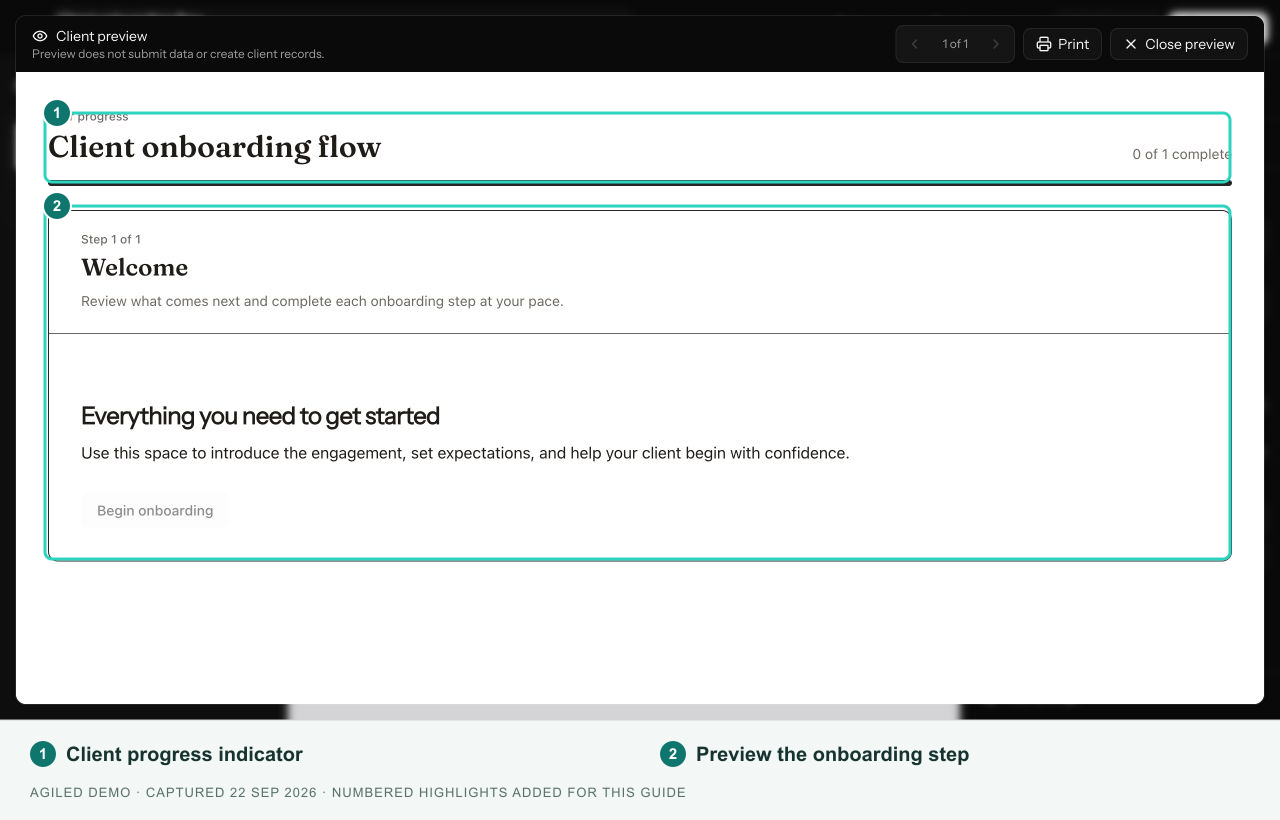
Select Preview to inspect the client layout without submitting steps. Check the content on narrow and wide screens, the step order, and completion behavior.
Use Save draft during preparation and Publish when the configuration is complete. Repair any listed publication issues first. For a published template, use Update flow to save edits; existing runs retain the definition they started with.
The public-flow Send test invitation is not available for portal onboarding. A real portal test uses Start flow with the intended portal-enabled contact and can create access or send an invitation. See Client access and starting a flow.