Finance
Import invoices and expenses
Bring in past invoices, receipts and supplier bills from files or a spreadsheet, and check them before they are saved.
Moving from another tool, or sitting on a folder of receipts? Upload the files and Agiled reads them into proposed invoices and expenses. Nothing is saved until you check each one and import it.
Import from files
- Open the importer:
- For past sales invoices, open Finance › Invoices and select Import files.
- For receipts and supplier bills, open Finance › Expenses and select Import › Import documents.
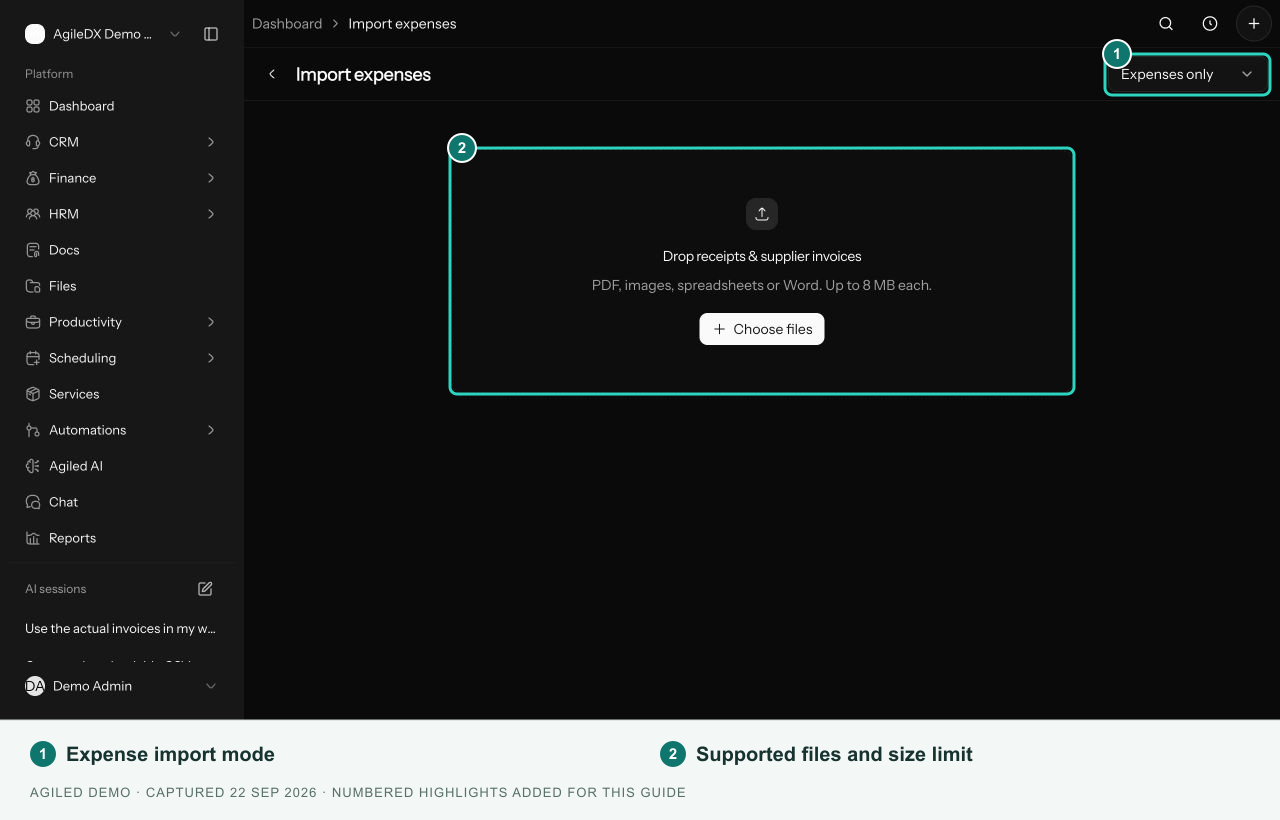
- Select Choose files, or drag files in. PDF, PNG, JPG, WebP, CSV, XLS, XLSX and DOCX all work.
- Select a proposed record and compare Review details with the original file beside it.
- Fix any highlighted fields. For an invoice, match the client to an existing account and set the Status. Choose Paid only if the file shows it was paid.
- Select Save & next, or Skip anything you don't want.
- Select Select ready, then Import selected.
You're done when each record is marked Imported and links to its new invoice or expense. The original file is attached to it.
Import expenses from a spreadsheet
- Open Finance › Expenses and select Import › CSV import.
- Upload a CSV with one expense per row and a header row.
- Match each column to an expense field.
- Review the preview and any row errors, then start the import.
Send files from chat
Upload several receipts, bills or statements to Agiled AI in chat and select Import into Finance. Agiled starts an import, reads each file and lists what it found for you to check before anything is saved. A single receipt is suggested as an expense instead.
Good to know
- Each file can be up to 8 MB, and a batch up to 20 files and 50 MB. You can import up to 50 ready records at a time.
- Importing an invoice never emails your client.
- Imported expenses start as pending, ready for your usual review.
- Use Recent imports to return to an earlier batch. Agiled flags files it has already processed, so check before importing a copy.